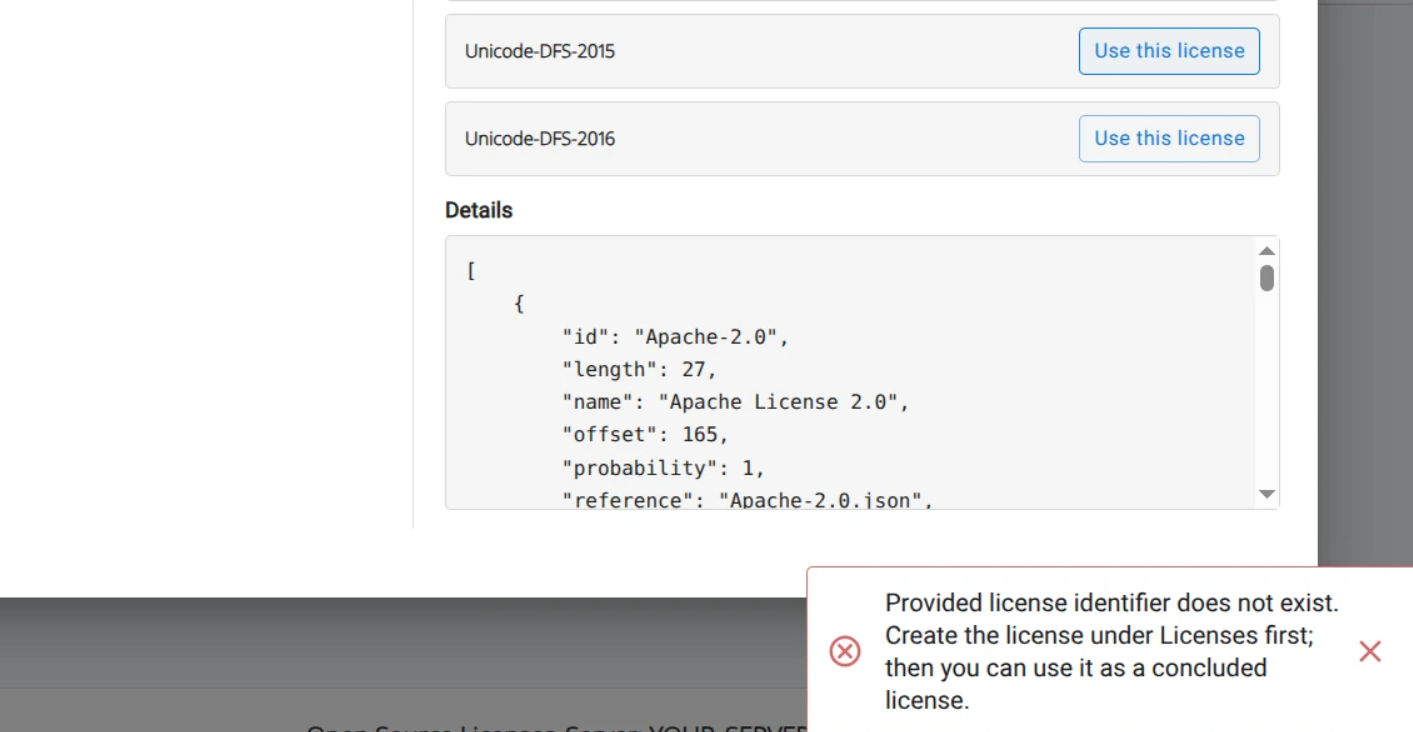
Workbench supports components with multiple licenses represented as SPDX expressions. In the scan interface, Workbench distinguishes a component’s declared and concluded license:
- Declared license — license detected or supplied by the source manifest, SBOM, or declaration.
- Concluded license — applicable component license selected and validated by the user.
For more information, refer to the SPDX specification for component licensing.
Component declared licenses
When a component is matched by the knowledge base or found by dependency analysis, its declared license may be a single license, a conjunctive set, or a disjunctive set.
| License type | Meaning | Example |
|---|---|---|
| Single license | A single license applies | MIT |
| Conjunctive set | Multiple licenses apply | MIT AND Apache-2.0 |
| Disjunctive set | One of several licenses applies | GPL-2.0 OR MIT |
Component concluded licenses
For single licenses or conjunctive sets, the declared license is also the concluded license. For disjunctive sets, a concluded license can be selected in the License Review UI.
Reviewing and concluding licenses
After performing identifications and running dependency analysis, open the License Review tab under the Risk Review section. The counter represents pending actions (for example components missing license conclusions). There you can set, change, or remove a concluded license.

To set or change a concluded license, a helper dialog helps you evaluate your options.
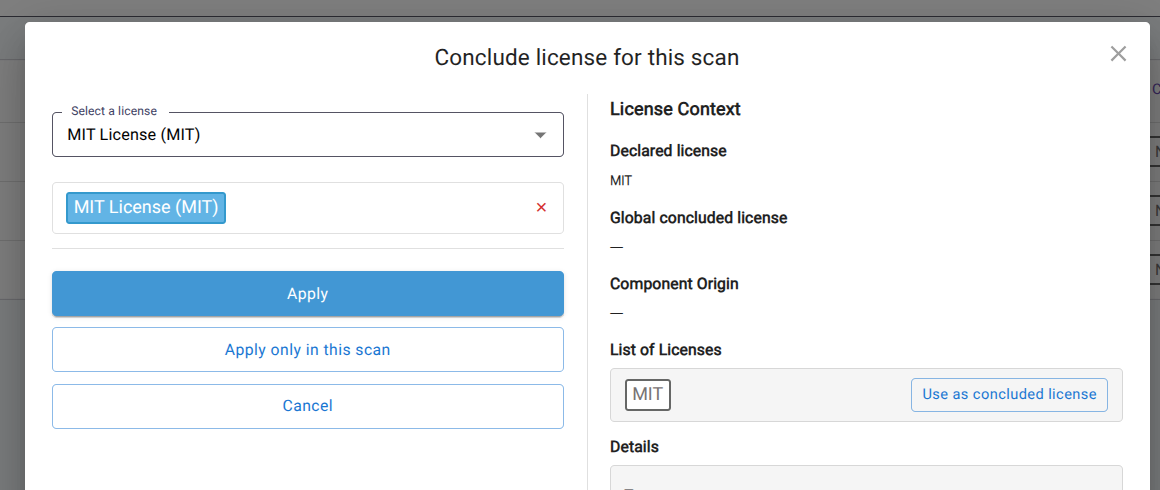
Within this dialog, License Context shows the component’s declared license, a global concluded license (if set), the component origin, and a list of licenses so you can pick a concluded license to apply globally to the component or for the current scan only.
Concluding licenses on SBOM import
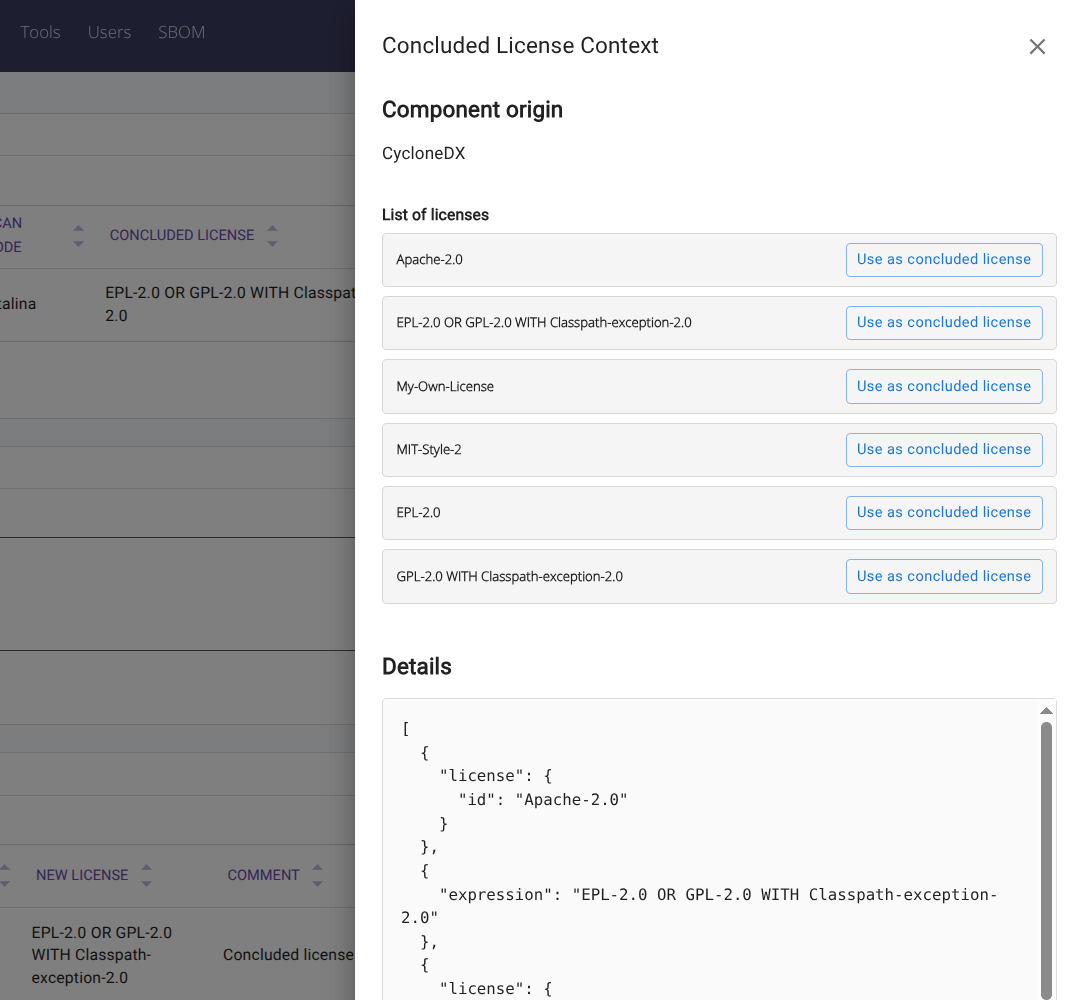
When concluding licenses in a scan created by SBOM import, the License Context drawer shows the component origin, lists all found licenses or expressions, and exposes the underlying JSON in the Details section. Select a license to conclude using Use as concluded license.
Reviewing license conclusions
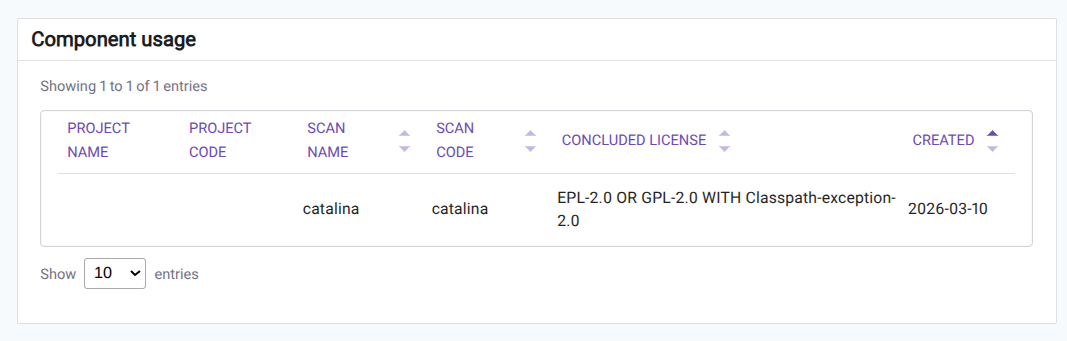
To view license conclusions for a component, open its component page from Components. The Component usage list shows the projects and scans where the component appears and the concluded license for each scan.
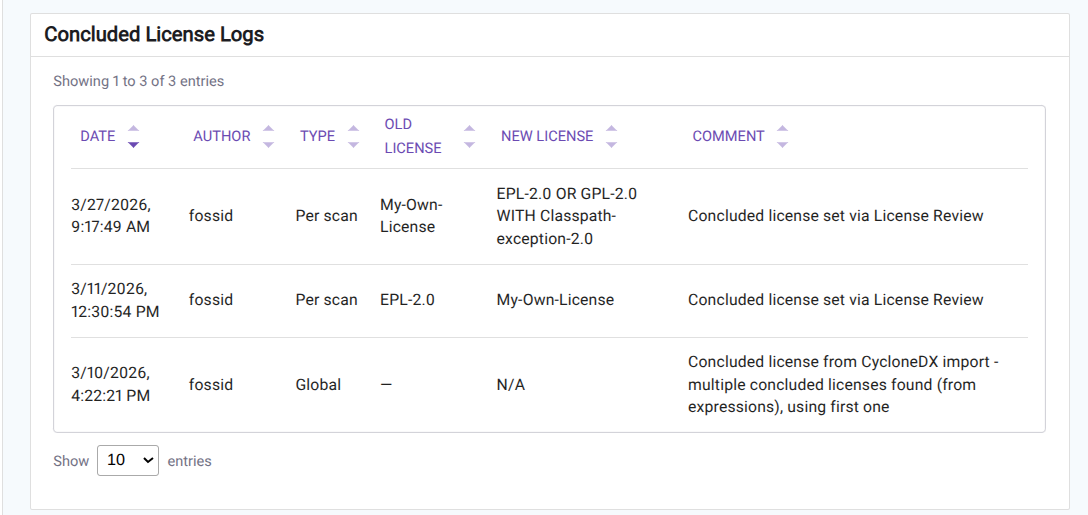
On the same page, Concluded License Logs record every change to concluded licenses: date, author, type (for example Per scan vs Global), old/new license, and comment.
License conclusions in reports
Below is how declared and concluded licenses appear in Workbench reports.
- Excel report: a new License Review tab was added. Concluded licenses also appear on the Licenses sheet, where SPDX expressions are split into individual licenses per row. The summary and charts in the report reflect the component’s declared licenses.
- SPDX report: SPDX reports populate ConjunctiveLicenseSet, DisjunctiveLicenseSet, and ConcludedLicense based on the licenses selected by the user in the UI.
When the concluded license is not set in the UI, each report behaves differently:
| Report format | Empty concluded license |
|---|---|
| Excel | Empty cell |
| CycloneDX | Empty |
| SPDX | NOASSERTION |
| SPDX Lite | NOASSERTION |
User permissions for License Review
New permissions in Workbench 26.1 control access to the License Review UI. They are added to the default Administrator and Licensing Officer roles during upgrade.
| Permission | Purpose |
|---|---|
LICENSE_REVIEW_VIEW_ACCESS |
View and open the License Review tab |
CONCLUDED_LICENSE_EDIT |
Set or change a concluded license |
Notes on permissions
- To apply a concluded license for all scans, users need global component edit permissions.
Notes on upgrading from previous versions
During upgrade to Workbench 26.1, existing components are updated as follows:
- To match prior behavior, components in existing scans get the declared license set as the concluded license. You can change these in the License Review tab.
Default behavior for setting the concluded license when creating a new component from SBOM import, KB results or dependency analysis
- When a declared license is a simple license, it is reflected in the Concluded License.
- When it is a Conjunctive set (AND), it is reflected in the Concluded License.
- When it is a Disjunctive set (OR), it’s not reflected in the Concluded License.
To modify the behavior so that a Disjunctive Set is automatically set as a concluded license, change this parameter in the FossID configuration:
; Control populating the Concluded License at the moment of creating a Component
; During SBOM import/Auto id/dependency analysis - concluded license is filled with the same value as declared license
; if declared license is a conjunctive license set (AND only) or a simple (single) license.
;
; For other declared values — disjunctive (OR), SPDX WITH/exception-style complexity, or a comma-separated list
; (e.g. dependency analysis "MIT,Apache-2.0" without rewriting commas) — when webapp_always_fill_license_concluded
; is false (default), concluded is not auto-set (same rule as for OR); use License Review. When true, the concluded license
; is set the same as declared (including OR and comma-separated lists).
;webapp_always_fill_license_concluded=0
Known limitations
Some SPDX expressions may reference license identifiers that are not present in the local license database. Concluding a license that uses such an identifier triggers a warning. To resolve it, create the license under Licenses before it can be used as a concluded license.